


 272
272
GrabIt is a lightweight newsreader that connects to Usenet servers and retrieves articles directly to your system. To use it with SunnyUsenet, you just need your account details and the correct server settings.
This guide walks through the full setup from start to finish.
What You’ll Need
Before starting, have the following ready:
- SunnyUsenet username
- SunnyUsenet password
- Server address
- Preferred port (SSL or non-SSL)
- Connection limit from your plan
Step 1: Install GrabIt
Go to the official GrabIt website and get the latest version of the newsreader. Run the installer and follow the on-screen instructions to complete setup.
Step 2: Open GrabIt and Add a Server
Launch GrabIt. On first launch, the setup wizard will guide you through adding your server.
If you need to add a server later:
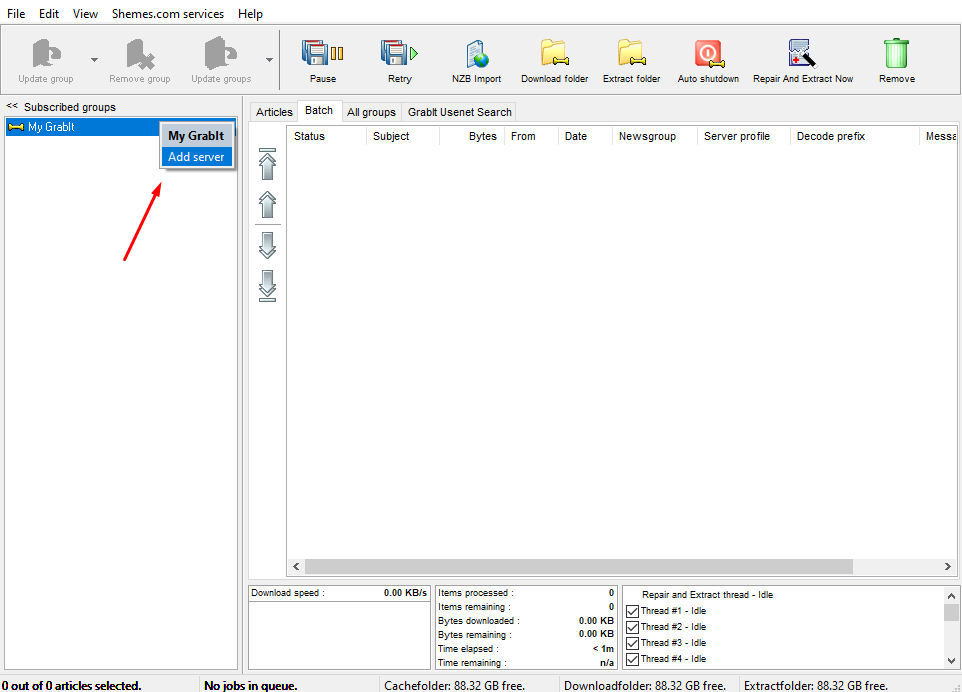
- Right-click My GrabIt
- Select Add server
Step 3: Enter Server Information
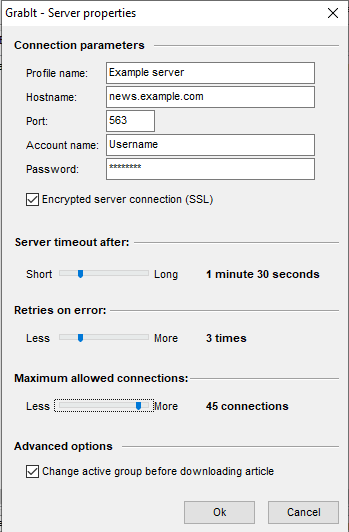
When prompted, enter your Sunny Usenet details:
- Profile Name: Use a name you will recognize (for example, Sunny Usenet)
- Hostname: news.sunnyusenet.com
- Port:
- 563 (SSL)
- 119 (non-SSL)
SSL is recommended for secure connections.
Step 4: Enter Login Credentials
Provide your Sunny Usenet account details:
- Username: Your Sunny Usenet login name
- Password: Your Sunny Usenet password
Step 5: Enable SSL (Recommended)
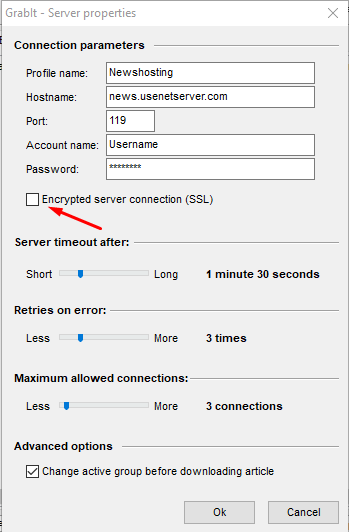
For an encrypted connection:
- Select Encrypted server connection (SSL)
- Use port 563
Port 119 can be used if SSL is not enabled.
Step 6: Finish Setup
Click OK to apply your settings. GrabIt will save the configuration and connect to the server.
Optional: Adjust Ports Manually
If you run into connection issues, switching ports can help:
- Try 563 for SSL
- Try 119 for non-SSL
- Some networks may also allow alternate ports
Troubleshooting Tips
If the connection fails:
- Double-check username and password
- Confirm the server address is correct
- Try switching ports
- Restart GrabIt after saving changes
What to Expect After Setup
Once connected, GrabIt will:
- Retrieve headers from selected newsgroups
- Allow you to queue articles for access
- Manage downloads in its queue system
Performance depends on your connection and server latency.

